Tap to Pay on iPhone: your phone becomes a card machine
Accept contactless payments right on your iPhone, with nothing to buy. Your customer pays in full or in up to 12 installments and the money lands in your Max account.
Selling as an individual or a company? Max works for you.
-
R$ 0 to get started
No sign-up fee, rental or monthly fee. The phone you already have is the card machine.
-
MaxTurbo on, money in your account
Card sales land in minutes, ready to use the same day.
-
Your customer pays with peace of mind
Every contactless payment is encrypted, and nothing is stored on your phone.
How to sell on iPhone
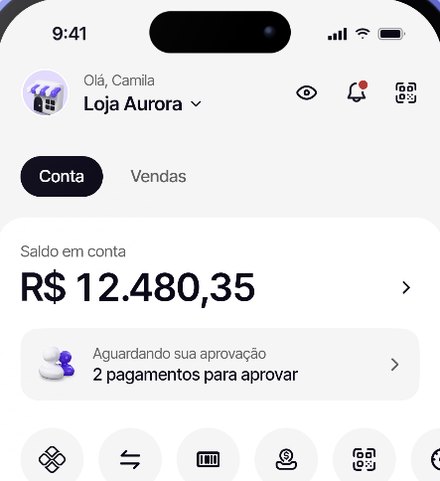
Open the Max app
Tap Sales, then Tap to Pay on iPhone.
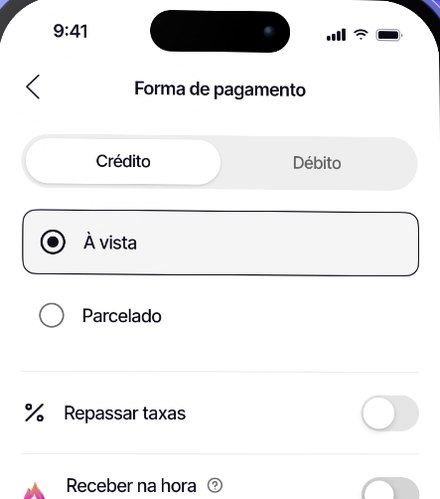
Enter the amount and pick the installments
In full or in up to 12 installments. You choose whether to pass the fees on.
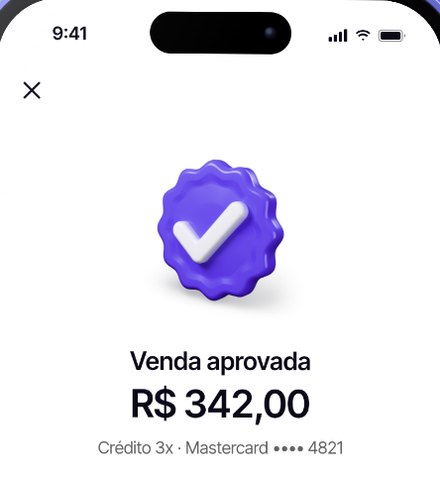
Ask your customer to tap
Their card, phone or watch touches your iPhone and the sale is approved.
Accepted cards
Visa, Mastercard, Elo and Amex, all at the same fee. Your customer pays by tapping their card, phone or watch.


 free
free Cards, phone, watch and free Pix in your Max account.
What you need
- An iPhone with iOS 16.4 or newer
- The latest Max app
- An open Max account, with CPF or CNPJ
Frequently asked questions
What is Max Tap to Pay on iPhone?
It's the feature that turns your iPhone into a card machine: your customer taps their card and the payment is approved instantly, with no extra device.
Do I need to buy any accessory?
No. The iPhone itself accepts the contactless payment.
Which iPhones work with Max Tap to Pay?
It works on iPhones with iOS 16.4 or newer. To check your version, go to Settings > General > About.
Do I need to turn on NFC on iPhone?
No. NFC on iPhone is always on.
Which cards can I accept with Tap to Pay on iPhone?
Visa, Mastercard, Elo and Amex, all at the same fee. Your customer pays by tapping their card, phone or watch.
Is there a minimum amount to sell with Tap to Pay?
Sales start at R$ 1.
Do I need a CNPJ?
No. Max accepts CPF and CNPJ, including MEI.
Is it safe to sell and pay with Tap to Pay on iPhone through Max?
Yes. Card data is encrypted and nothing is stored on your iPhone. Every sale generates a digital receipt for your customer, and Max is a payment institution authorized by the Central Bank of Brazil.
When does the money from Max Tap to Pay sales land?
Instantly, with MaxTurbo turned on in your Max account. If you prefer, you can also get paid the next day or in 30 days.